 Transforma
Convert XLSX to CSV on iPhone
Convert Excel XLSX spreadsheets to CSV format on your iPhone — extract data in a universal, lightweight format.
How to Convert XLSX to CSV with Transforma
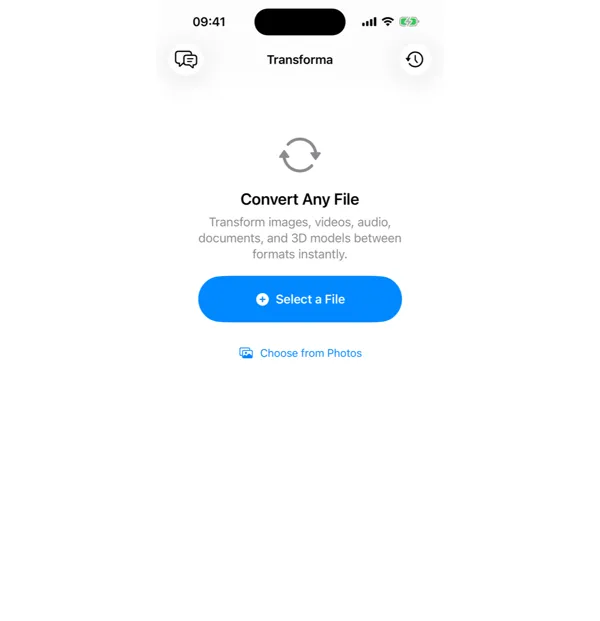
Select your XLSX file
Open Transforma and tap "Select a File" or "Choose from Photos" to pick your XLSX file.
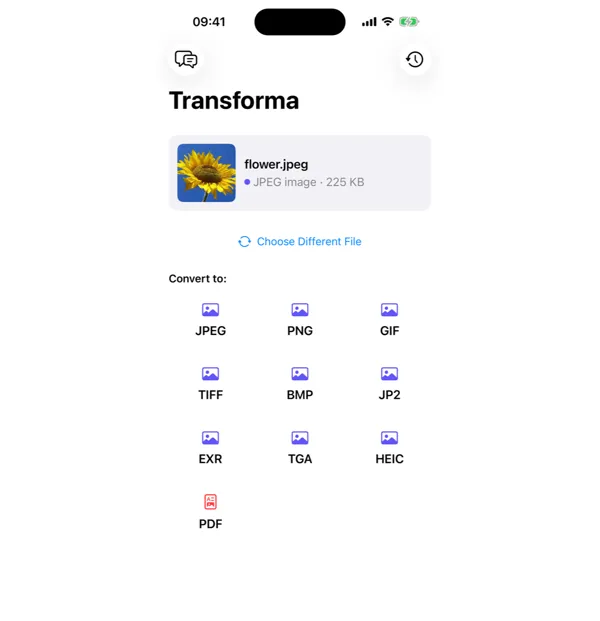
Tap CSV
From the format grid, select CSV as your output format. Adjust quality or settings if needed.
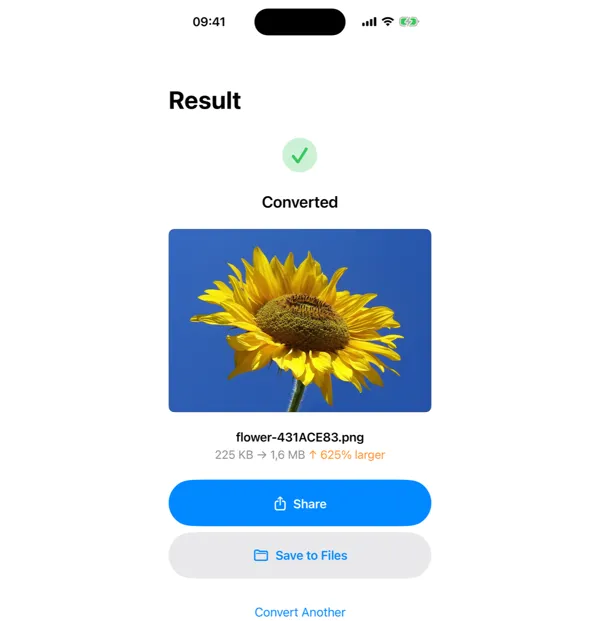
Share or save
Your converted CSV file is ready instantly. Tap Share to send it, or Save to Files to keep it on your device.
Why Convert XLSX to CSV?
- Import spreadsheet data into databases or analytics tools
- Share data with systems that don't support Excel format
- Create lightweight data files for processing or automation
- Extract raw data from formatted spreadsheets
How XLSX to CSV Conversion Works
XLSX is a ZIP-compressed XML format that stores cell values, formulas, formatting, charts, and multiple worksheets. Transforma extracts the data from the first worksheet (or a selected sheet) and outputs each row as a comma-separated line of values. Cell formatting (colors, fonts, borders) is discarded since CSV is plain text. Formulas are evaluated and their computed values are exported. Dates are output in ISO 8601 format for maximum compatibility.
Common Use Cases
- Importing sales data or inventory lists into a database or CRM system
- Feeding spreadsheet data into Python, R, or other data analysis scripts
- Creating data files for mail merge or bulk email tools
- Migrating data between systems that don't share a common format but both support CSV
XLSX vs CSV — Key Differences
| Feature | XLSX | CSV |
|---|---|---|
| Description | XLSX is Microsoft Excel's spreadsheet format supporting formulas, charts, formatting, and multiple sheets. It's feature-rich but requires Excel or compatible software to open. | CSV (Comma-Separated Values) is the simplest data exchange format. It stores tabular data as plain text, making it readable by virtually any application, programming language, or database system. |
Tips for Best Results
- Only the first worksheet is exported by default — select the desired sheet before converting
- Merged cells and formulas are flattened to their display values
- If your data contains commas, the values are properly quoted in the CSV output
Why Use Transforma?
100% On-Device
Your files never leave your iPhone. No servers, no uploads, complete privacy.
Instant Conversion
No waiting for uploads or downloads. Conversions happen in seconds.
Works Offline
No internet needed. Convert files anywhere — on a plane, in the field, offline.
One-Time Purchase
$4.99 once. No subscriptions, no ads, no limits. Convert as much as you want.