 Transforma
Convert Any File, Right on Your iPhone
40+ formats across images, video, audio, documents, data files, archives, and 3D models — all processed on-device. Fast, private, no uploads.
Why Transforma?
Built for speed, privacy, and simplicity.
On-Device Processing
All conversions happen locally on your device. Your files never leave your phone — complete privacy, no uploads.
Batch Conversion
Convert multiple files at once with up to 4 concurrent operations. Queue up your files and let Transforma handle the rest.
Deep iOS Integration
Share Extension, Siri Shortcuts, and Home Screen Widgets — convert files from anywhere on your iPhone without opening the app.
Instant Conversion
Powered by Apple's native frameworks for blazing-fast results. Container remux for instant video repackaging.
Background Removal
Remove backgrounds from images instantly using Apple's Vision framework. No internet connection needed.
Metadata Preserved
Keep your EXIF data, timestamps, and file information intact during conversion. Or strip it for privacy — your choice.
Supported Formats
From everyday files to professional formats — Transforma handles them all.
Input Formats
Output Formats
Background removal via Vision, resolution presets up to 4096px, quality control, EXIF metadata preserved or stripped
How It Works
Three simple steps. No sign-up, no uploads, no waiting.
Select Your File
Pick any file from your device — photos, videos, audio, documents, or 3D models.
Choose Output Format
Select from 50+ format combinations. Adjust quality and settings as needed.
Done — Save & Share
Your converted file is ready instantly. Save to Files, share, or use it anywhere.
See It in Action
A simple three-tap conversion flow.
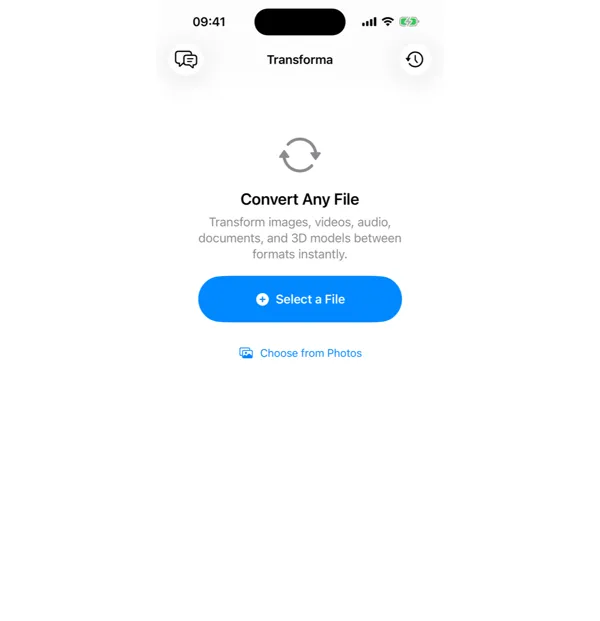
1. Select your file
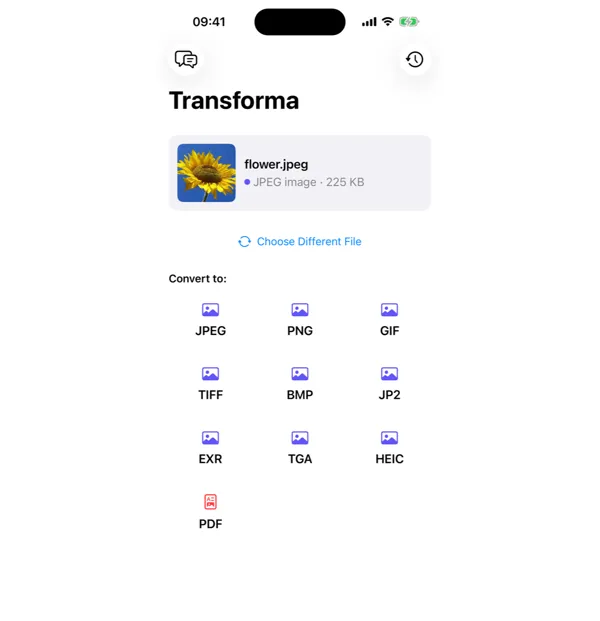
2. Choose output format
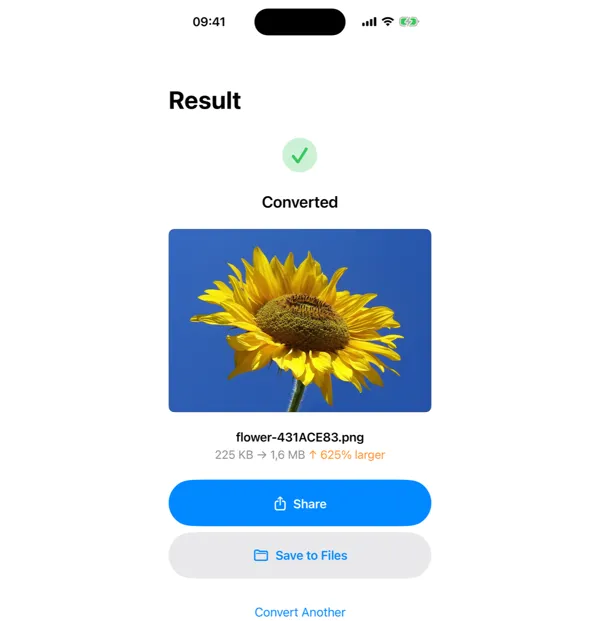
3. Done — share or save
Ready to Convert?
Download Transforma and start converting files in seconds. No subscriptions, no uploads — just fast, private file conversion.