 Transforma
Convert WAV to MP3 on iPhone
Convert WAV audio files to compact MP3 format on your iPhone — dramatically reduce file size while keeping great sound quality.
How to Convert WAV to MP3 with Transforma
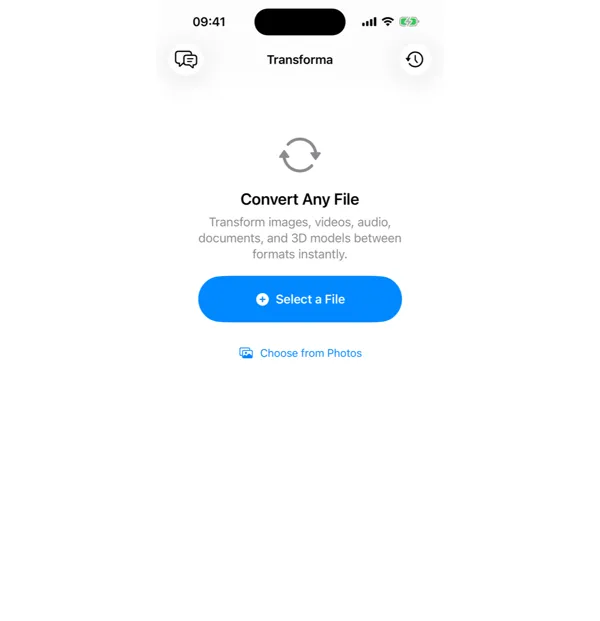
Select your WAV file
Open Transforma and tap "Select a File" or "Choose from Photos" to pick your WAV file.
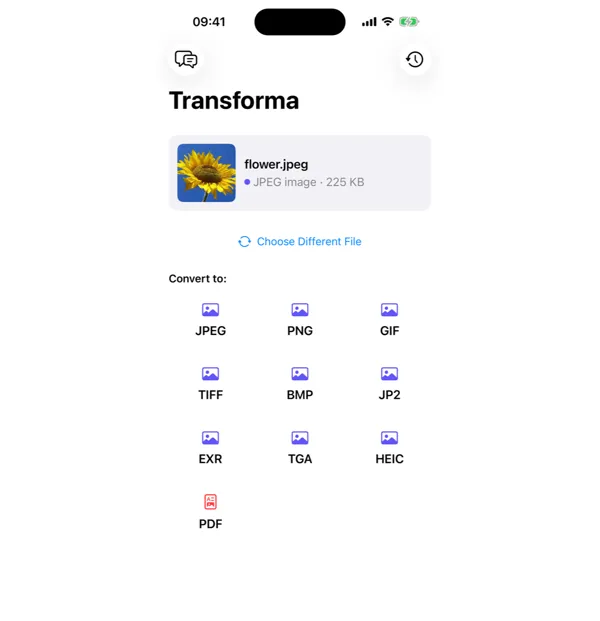
Tap MP3
From the format grid, select MP3 as your output format. Adjust quality or settings if needed.
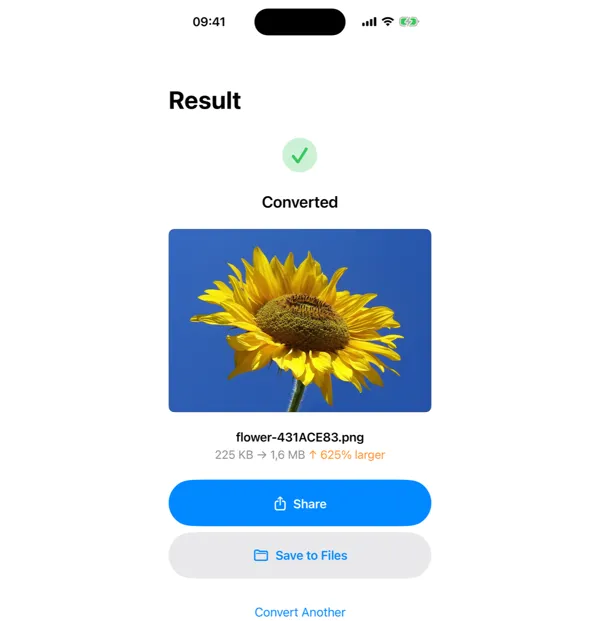
Share or save
Your converted MP3 file is ready instantly. Tap Share to send it, or Save to Files to keep it on your device.
Why Convert WAV to MP3?
- Reduce large WAV files to a fraction of their size
- Share audio via email or messaging without size limits
- Upload to music platforms or podcasting services
- Save storage space on your iPhone
How WAV to MP3 Conversion Works
WAV stores raw PCM (Pulse Code Modulation) audio data — uncompressed digital samples at typically 44.1 kHz or 48 kHz sample rate with 16- or 24-bit depth. MP3 uses psychoacoustic modeling to discard audio frequencies that humans cannot easily perceive, achieving 10:1 or greater compression. Transforma uses AVFoundation's audio encoding pipeline to convert WAV to MP3 at your chosen bitrate. A 3-minute WAV at CD quality (44.1 kHz, 16-bit, stereo) is about 30 MB; at 320 kbps MP3, it shrinks to about 7 MB; at 128 kbps, roughly 3 MB.
Common Use Cases
- Compressing voice recordings or field recordings for sharing via email
- Converting audio from recording apps (which often save as WAV) for podcast distribution
- Reducing file size of music tracks for portable players with limited storage
- Preparing audio files for use in presentations, video projects, or apps
WAV vs MP3 — Key Differences
| Feature | WAV | MP3 |
|---|---|---|
| Description | WAV is an uncompressed audio format that preserves perfect sound quality. The downside is massive file sizes — a 3-minute WAV file can be 30MB or more. | MP3 compresses audio to roughly 10% of WAV's file size with barely perceptible quality loss at higher bitrates (256-320kbps). It's the universal standard for sharing and streaming audio. |
Tips for Best Results
- For music, use 256 or 320 kbps — most listeners cannot distinguish this from the original WAV
- For speech and voice, 128 kbps is sufficient and produces much smaller files
- If you need to edit the audio later, keep the original WAV — converting back from MP3 to WAV does not restore lost quality
Why Use Transforma?
100% On-Device
Your files never leave your iPhone. No servers, no uploads, complete privacy.
Instant Conversion
No waiting for uploads or downloads. Conversions happen in seconds.
Works Offline
No internet needed. Convert files anywhere — on a plane, in the field, offline.
One-Time Purchase
$4.99 once. No subscriptions, no ads, no limits. Convert as much as you want.