 Transforma
Convert MP4 to GIF on iPhone
Convert MP4 video clips to animated GIF format on your iPhone — create shareable animations without any cloud service.
How to Convert MP4 to GIF with Transforma
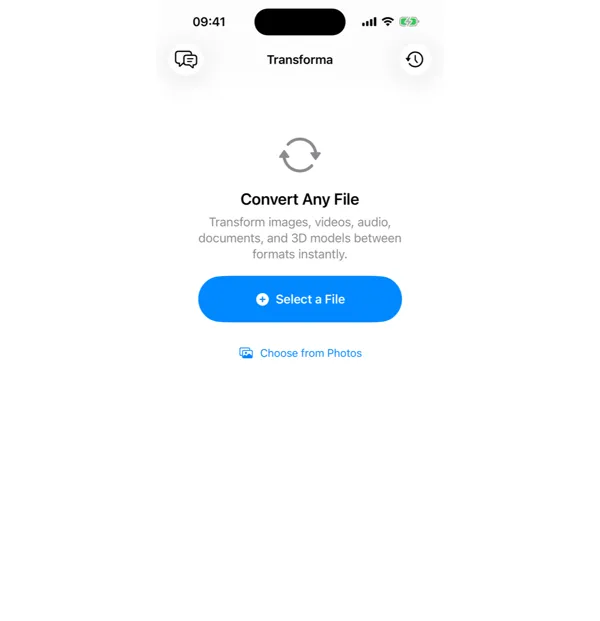
Select your MP4 file
Open Transforma and tap "Select a File" or "Choose from Photos" to pick your MP4 file.
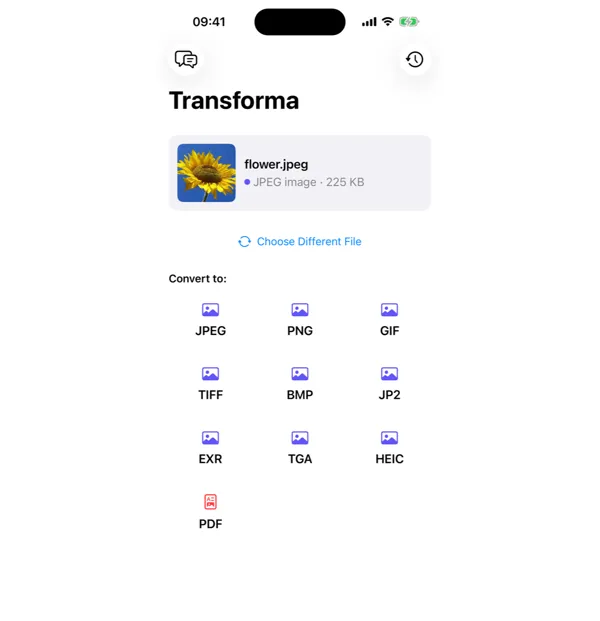
Tap GIF
From the format grid, select GIF as your output format. Adjust quality or settings if needed.
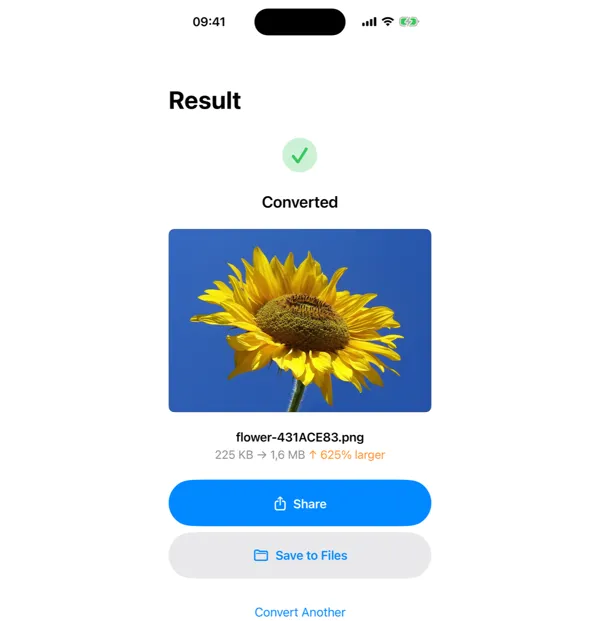
Share or save
Your converted GIF file is ready instantly. Tap Share to send it, or Save to Files to keep it on your device.
Why Convert MP4 to GIF?
- Create animated GIFs for social media, messaging, or email
- Make short looping animations from video clips
- Share visual content where video isn't supported but GIF is
- Create reaction GIFs or memes from video footage
How MP4 to GIF Conversion Works
GIF animation works by storing a sequence of frames as individual images with a color palette limited to 256 colors per frame. Transforma extracts frames from the MP4 video using AVFoundation, applies dithering to map the full-color frames to GIF's 256-color palette, and assembles them into an animated GIF with configurable frame rate and loop settings. The output file will typically be larger than the input MP4 because GIF compression is far less efficient than H.264 — a 5-second MP4 clip at 720p might be 2 MB, while the equivalent GIF could be 10-15 MB.
Common Use Cases
- Creating reaction GIFs from funny moments in your camera roll
- Making product demo loops for e-commerce listings or presentations
- Converting short tutorial clips into GIFs for documentation or README files
- Creating animated stickers or memes from video clips
MP4 vs GIF — Key Differences
| Feature | MP4 | GIF |
|---|---|---|
| Description | MP4 is the standard video format with full audio and video support. It offers high quality and efficient compression, but not all platforms support inline video playback. | GIF (Graphics Interchange Format) supports simple animation with automatic looping. GIFs play everywhere — in emails, messages, social media, and web browsers — without requiring a video player. |
Tips for Best Results
- Keep clips under 5-10 seconds — GIF files grow rapidly with duration
- Lower the resolution to 480p or less to keep file sizes manageable
- Reduce the frame rate to 10-15 fps — GIF animation looks natural at lower rates and produces much smaller files
Why Use Transforma?
100% On-Device
Your files never leave your iPhone. No servers, no uploads, complete privacy.
Instant Conversion
No waiting for uploads or downloads. Conversions happen in seconds.
Works Offline
No internet needed. Convert files anywhere — on a plane, in the field, offline.
One-Time Purchase
$4.99 once. No subscriptions, no ads, no limits. Convert as much as you want.