 Transforma
Convert MOV to MP4 on iPhone
Convert Apple MOV videos to widely compatible MP4 format directly on your iPhone — fast, private, no cloud uploads.
How to Convert MOV to MP4 with Transforma
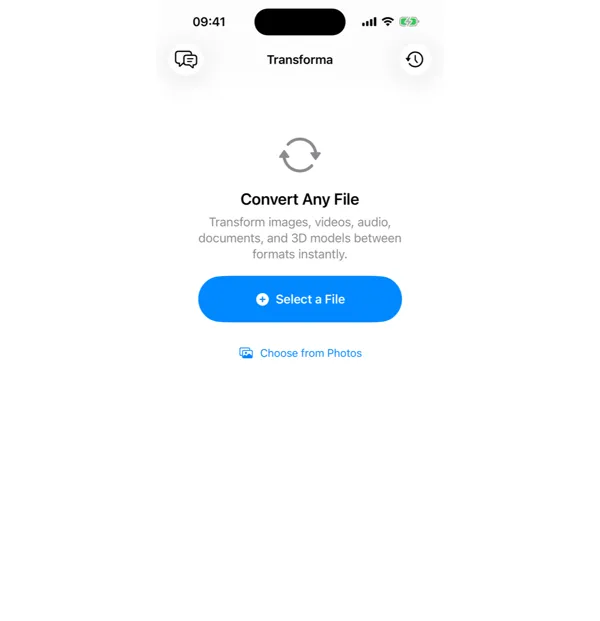
Select your MOV file
Open Transforma and tap "Select a File" or "Choose from Photos" to pick your MOV file.
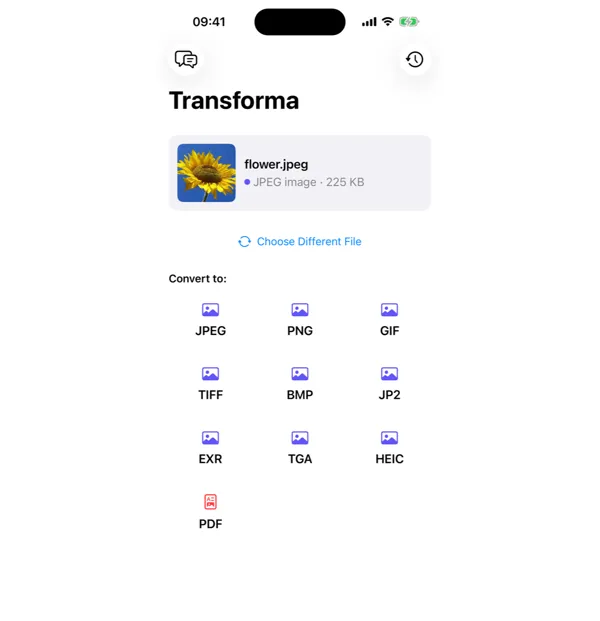
Tap MP4
From the format grid, select MP4 as your output format. Adjust quality or settings if needed.
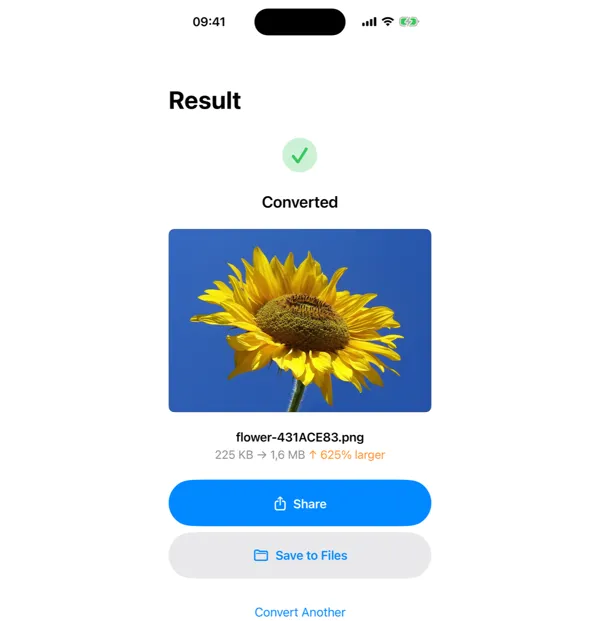
Share or save
Your converted MP4 file is ready instantly. Tap Share to send it, or Save to Files to keep it on your device.
Why Convert MOV to MP4?
- Share videos with Android users and non-Apple devices
- Upload to platforms that prefer or require MP4 format
- Reduce file size while maintaining video quality
- Ensure compatibility with video editors and media players
How MOV to MP4 Conversion Works
Both MOV and MP4 are container formats that can hold the same H.264 or HEVC video streams. The difference is in the container structure: MOV uses Apple's QuickTime atom structure, while MP4 uses the ISO Base Media File Format (ISO 14496-12). Transforma uses AVFoundation to remux the video stream into the MP4 container without re-encoding when possible, preserving original quality and completing the conversion in seconds. When codec conversion is needed (e.g., ProRes to H.264), hardware-accelerated encoding ensures fast processing even for 4K video.
Common Use Cases
- Uploading iPhone-recorded videos to YouTube, Instagram, or TikTok
- Sharing video clips with colleagues on Windows or Android devices
- Importing footage into non-Apple video editors like DaVinci Resolve or Premiere
- Embedding video in PowerPoint presentations or web pages
MOV vs MP4 — Key Differences
| Feature | MOV | MP4 |
|---|---|---|
| Description | MOV is Apple's QuickTime video container format. It supports high-quality video with H.264 and HEVC codecs, and is the default recording format on iPhone. While excellent on Apple devices, MOV files may not play correctly on all platforms. | MP4 is the universal standard for digital video. Supported by virtually every device, browser, and streaming platform, MP4 offers excellent compression with high quality. It's the go-to format for sharing video across different ecosystems. |
Tips for Best Results
- For social media, H.264 codec at 1080p gives the best compatibility and upload speed
- For archival, keep the original HEVC codec — it preserves quality at smaller file sizes
- If the MOV file uses ProRes, expect a larger output MP4 since consumer codecs cannot match ProRes quality at the same bitrate
Why Use Transforma?
100% On-Device
Your files never leave your iPhone. No servers, no uploads, complete privacy.
Instant Conversion
No waiting for uploads or downloads. Conversions happen in seconds.
Works Offline
No internet needed. Convert files anywhere — on a plane, in the field, offline.
One-Time Purchase
$4.99 once. No subscriptions, no ads, no limits. Convert as much as you want.