 Transforma
Convert M4A to MP3 on iPhone
Convert M4A audio files to universally compatible MP3 format on your iPhone — completely offline, no uploads needed.
How to Convert M4A to MP3 with Transforma
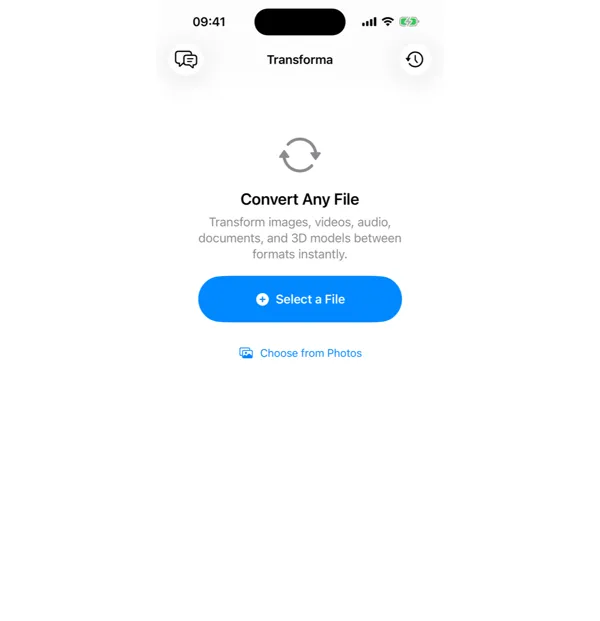
Select your M4A file
Open Transforma and tap "Select a File" or "Choose from Photos" to pick your M4A file.
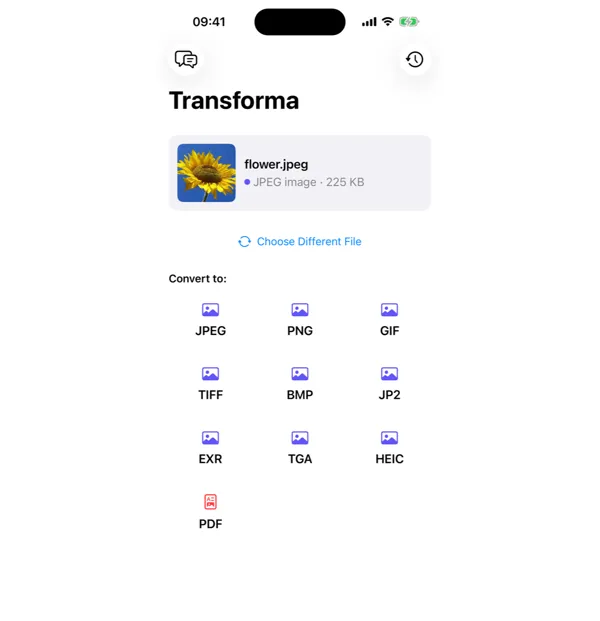
Tap MP3
From the format grid, select MP3 as your output format. Adjust quality or settings if needed.
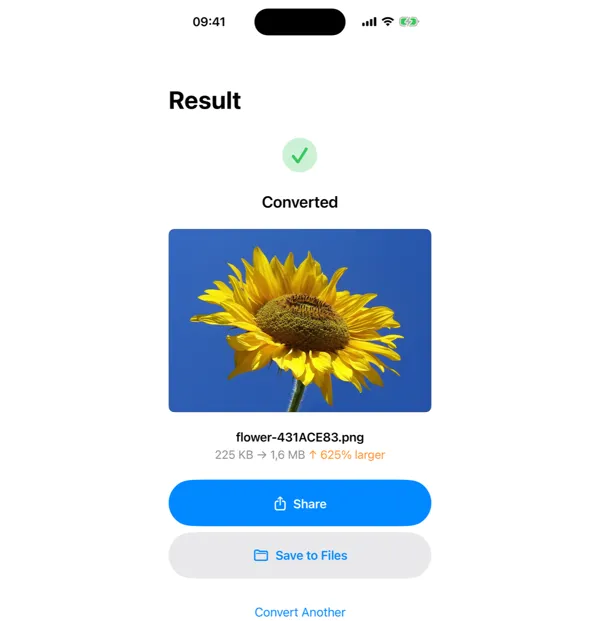
Share or save
Your converted MP3 file is ready instantly. Tap Share to send it, or Save to Files to keep it on your device.
Why Convert M4A to MP3?
- Play audio on older devices that only support MP3
- Share audio files with maximum compatibility
- Upload to platforms or services that require MP3 format
- Use in presentations or video editing software
How M4A to MP3 Conversion Works
M4A uses AAC (Advanced Audio Coding) compression, which is technically superior to MP3's MPEG-1 Layer 3 algorithm — AAC delivers better audio quality at the same bitrate. However, MP3 enjoys near-perfect device support dating back to the late 1990s. Transforma uses AVFoundation's audio pipeline to decode the AAC stream and re-encode to MP3 at your chosen bitrate (128, 192, 256, or 320 kbps). The conversion preserves ID3 tags including track title, artist, album, and cover art when possible.
Common Use Cases
- Transferring voice memos or recordings to older MP3 players or car stereos
- Uploading audio to podcast hosting platforms that require MP3 format
- Sharing audio clips via email where M4A may not be supported
- Using audio files in video editing software that only accepts MP3 input
M4A vs MP3 — Key Differences
| Feature | M4A | MP3 |
|---|---|---|
| Description | M4A is Apple's audio format using AAC encoding. It offers better sound quality at smaller file sizes compared to MP3. However, M4A is not supported by all audio players and devices, especially older hardware. | MP3 is the most widely recognized audio format in the world. While it uses older compression technology, its universal compatibility makes it the safest choice for sharing audio across any device or platform. |
Tips for Best Results
- Use 256 or 320 kbps for music — the difference from AAC source will be negligible
- Use 128 kbps for voice recordings and podcasts — voice content compresses well at lower bitrates
- Converting from M4A to MP3 is lossy-to-lossy — avoid repeated re-encoding to prevent quality degradation
Why Use Transforma?
100% On-Device
Your files never leave your iPhone. No servers, no uploads, complete privacy.
Instant Conversion
No waiting for uploads or downloads. Conversions happen in seconds.
Works Offline
No internet needed. Convert files anywhere — on a plane, in the field, offline.
One-Time Purchase
$4.99 once. No subscriptions, no ads, no limits. Convert as much as you want.