 Transforma
Convert JSON to YAML on iPhone
Convert JSON data to human-readable YAML format on your iPhone — ideal for developers working with configuration files.
How to Convert JSON to YAML with Transforma
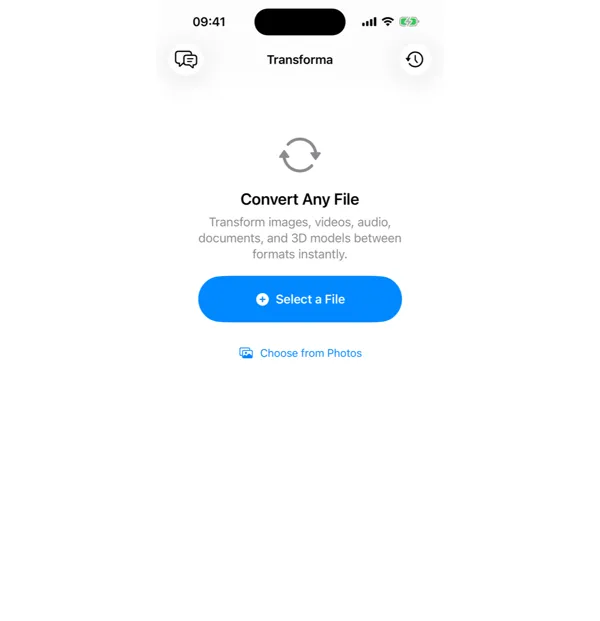
Select your JSON file
Open Transforma and tap "Select a File" or "Choose from Photos" to pick your JSON file.
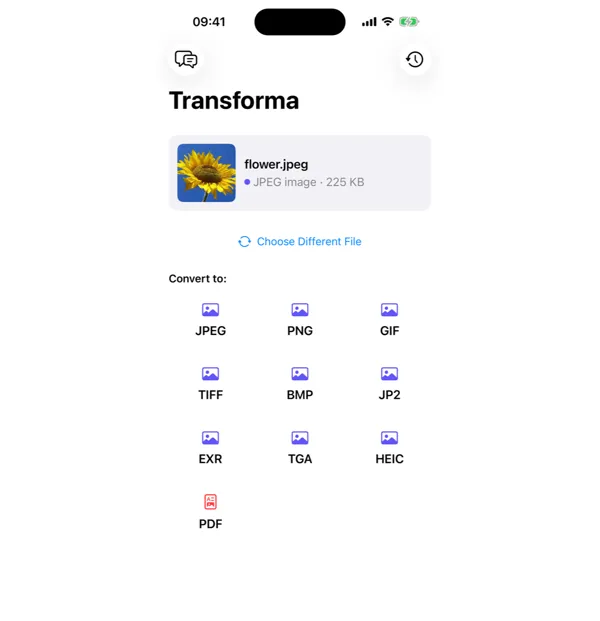
Tap YAML
From the format grid, select YAML as your output format. Adjust quality or settings if needed.
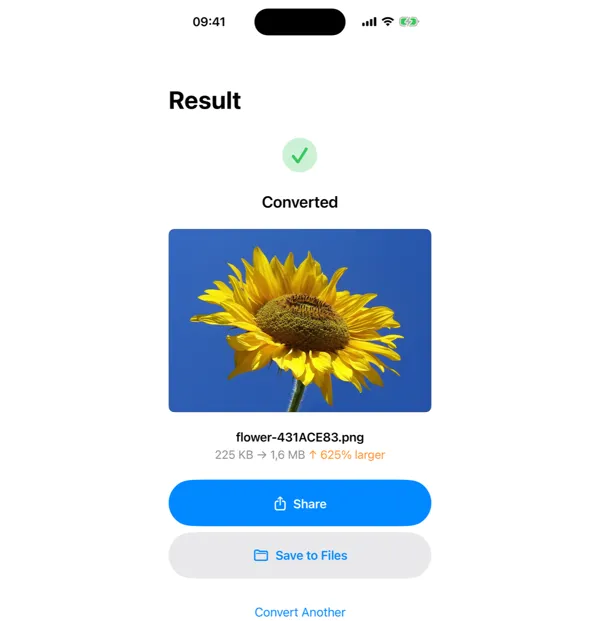
Share or save
Your converted YAML file is ready instantly. Tap Share to send it, or Save to Files to keep it on your device.
Why Convert JSON to YAML?
- Convert API responses or data files to a more readable format
- Create configuration files for Docker, Kubernetes, or CI/CD tools
- Make complex data structures easier to read and edit
- Switch between data formats for different development workflows
How JSON to YAML Conversion Works
JSON and YAML are both data serialization formats that can represent the same data structures: objects, arrays, strings, numbers, booleans, and null. The conversion is lossless — every JSON value maps directly to a YAML equivalent. Transforma parses the JSON into a native data structure and serializes it as YAML with consistent 2-space indentation. The output preserves key ordering and handles special characters (colons, quotes, newlines) with proper YAML escaping.
Common Use Cases
- Converting API response payloads to YAML for Kubernetes ConfigMaps or Secrets
- Making JSON configuration files readable for code review or documentation
- Preparing data for Ansible playbooks, Docker Compose files, or GitHub Actions workflows
- Converting exported settings or preferences from JSON-based apps into human-editable YAML
JSON vs YAML — Key Differences
| Feature | JSON | YAML |
|---|---|---|
| Description | JSON (JavaScript Object Notation) is the standard data interchange format for APIs and web applications. It's machine-friendly but can be hard to read with deeply nested structures. | YAML (YAML Ain't Markup Language) is a human-friendly data format popular in DevOps and configuration management. It uses indentation instead of brackets, making it much easier to read and edit by hand. |
Tips for Best Results
- YAML is whitespace-sensitive — be careful with indentation when editing the output
- Large JSON files (1000+ keys) convert fine but may be slow to render in text editors as YAML
- If the JSON contains binary data or very long strings, YAML's block scalar notation makes them much more readable
Why Use Transforma?
100% On-Device
Your files never leave your iPhone. No servers, no uploads, complete privacy.
Instant Conversion
No waiting for uploads or downloads. Conversions happen in seconds.
Works Offline
No internet needed. Convert files anywhere — on a plane, in the field, offline.
One-Time Purchase
$4.99 once. No subscriptions, no ads, no limits. Convert as much as you want.